When using OneMob on Windows you may notice that part of the screen could be cut off. This is a Windows zooming issue. To correct the zoom issue follow the steps below:
- Open Settings.
- Click on System.
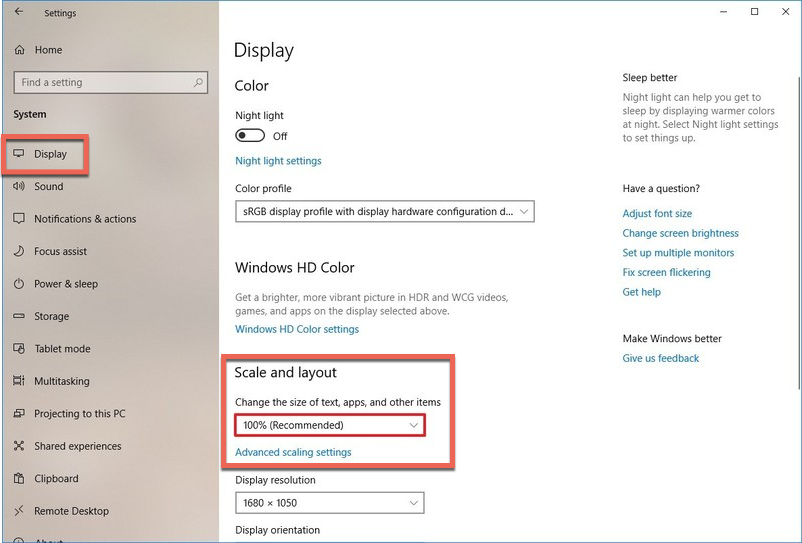
- Click on Display.
- Under the "Scale and Layout" section, use the drop-down menu and select the Scale setting that suits your needs. Options available include 100, 125, 150, and 175 percent.
- Most will work properly at 100%.
Was this helpful?